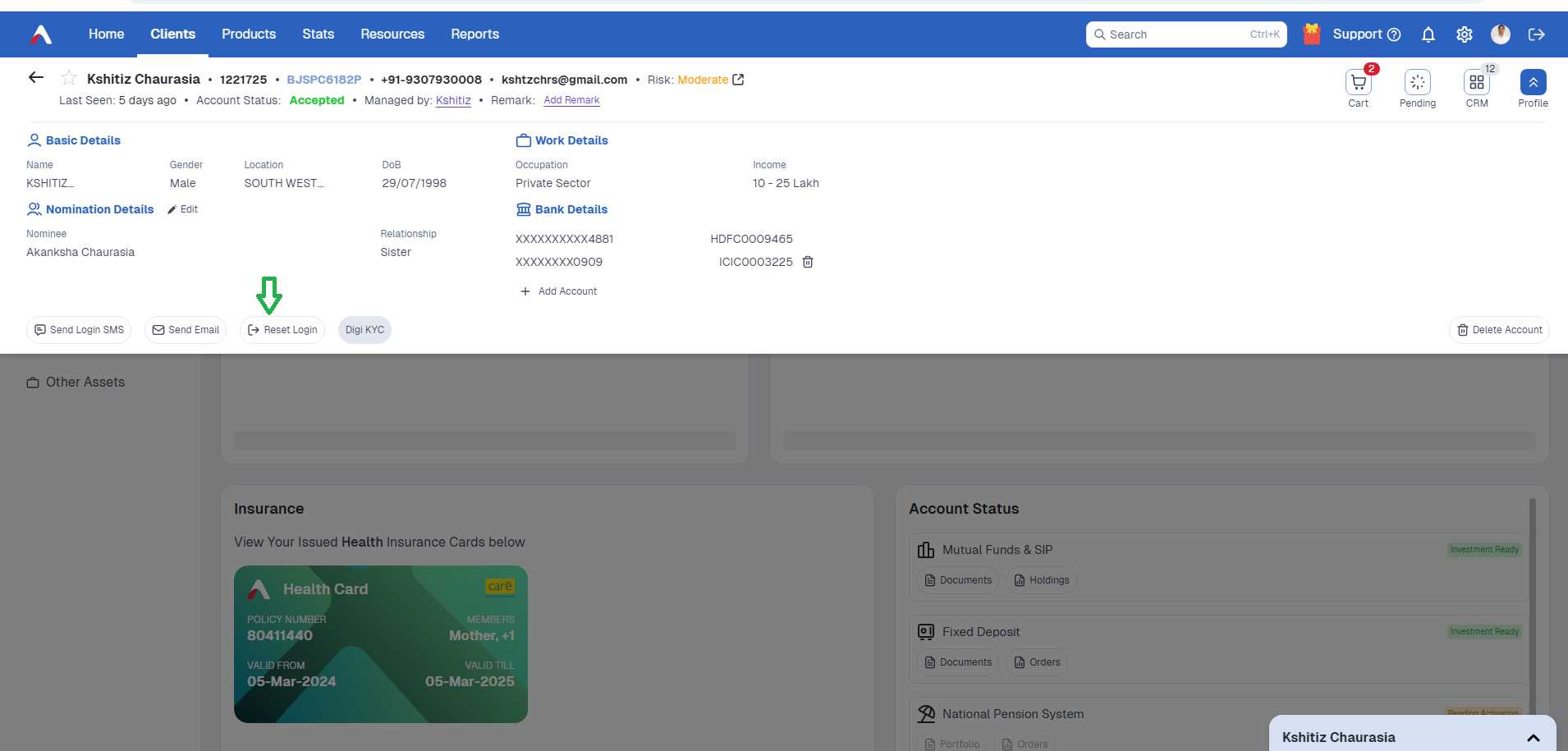
If a client loses / forgets their password, you need to send the login credentials via email to client.
—> On the AssetPlus Admin Dashboard, search for the client code to send the login credentials
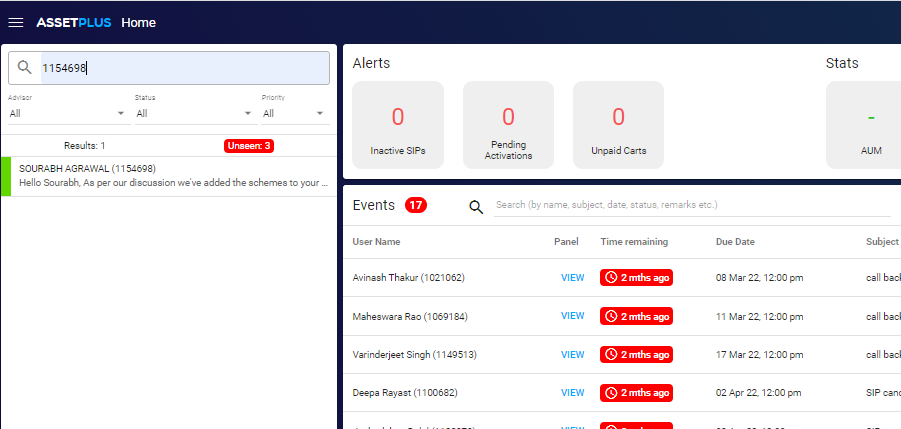
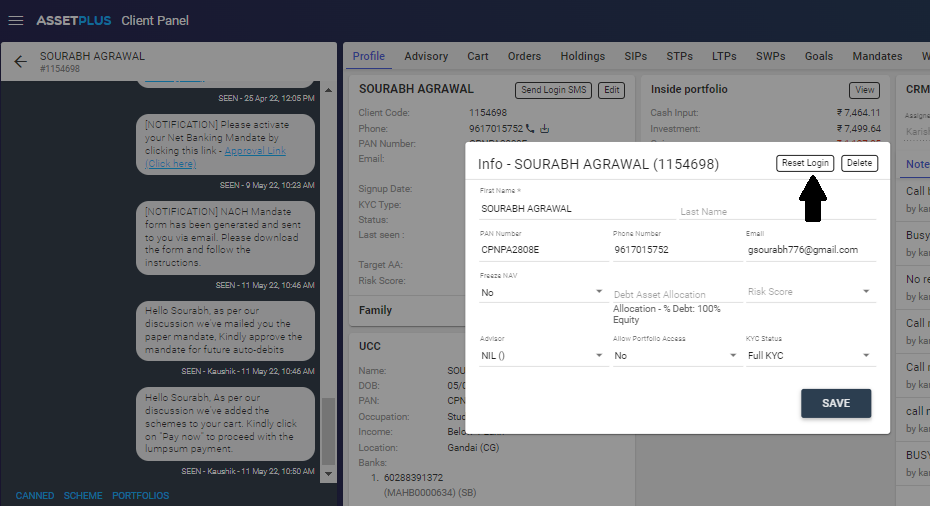
—> Click on “Edit” on the profile section and then click on Reset Login
—>A dialog box will open stating “ Client credentials will be reset and sent via email”
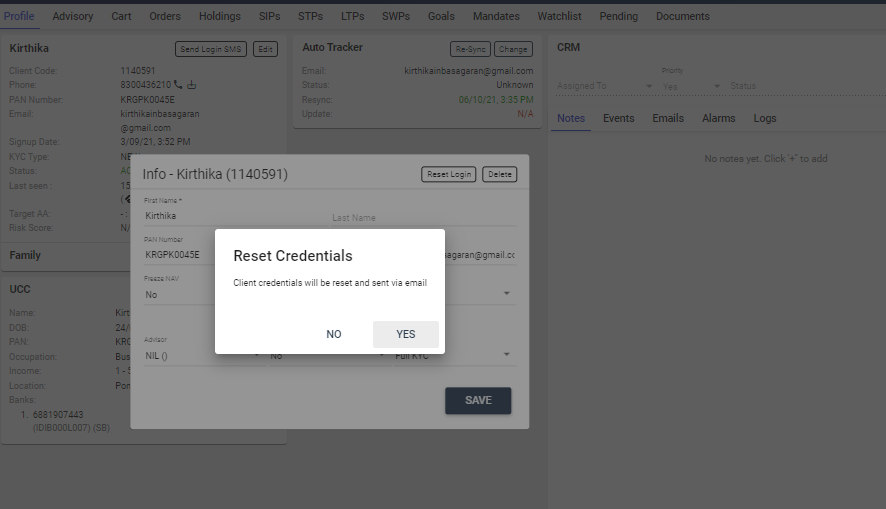
—> On clicking on “Yes” the credentials will be sent via email
A mail will be sent to the client’s registered mail as shown in the below-attached image.
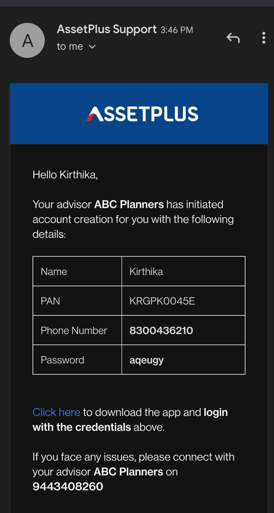
IFA
To send login credentials from the partner’s dashboard
—>Click on Profile section.
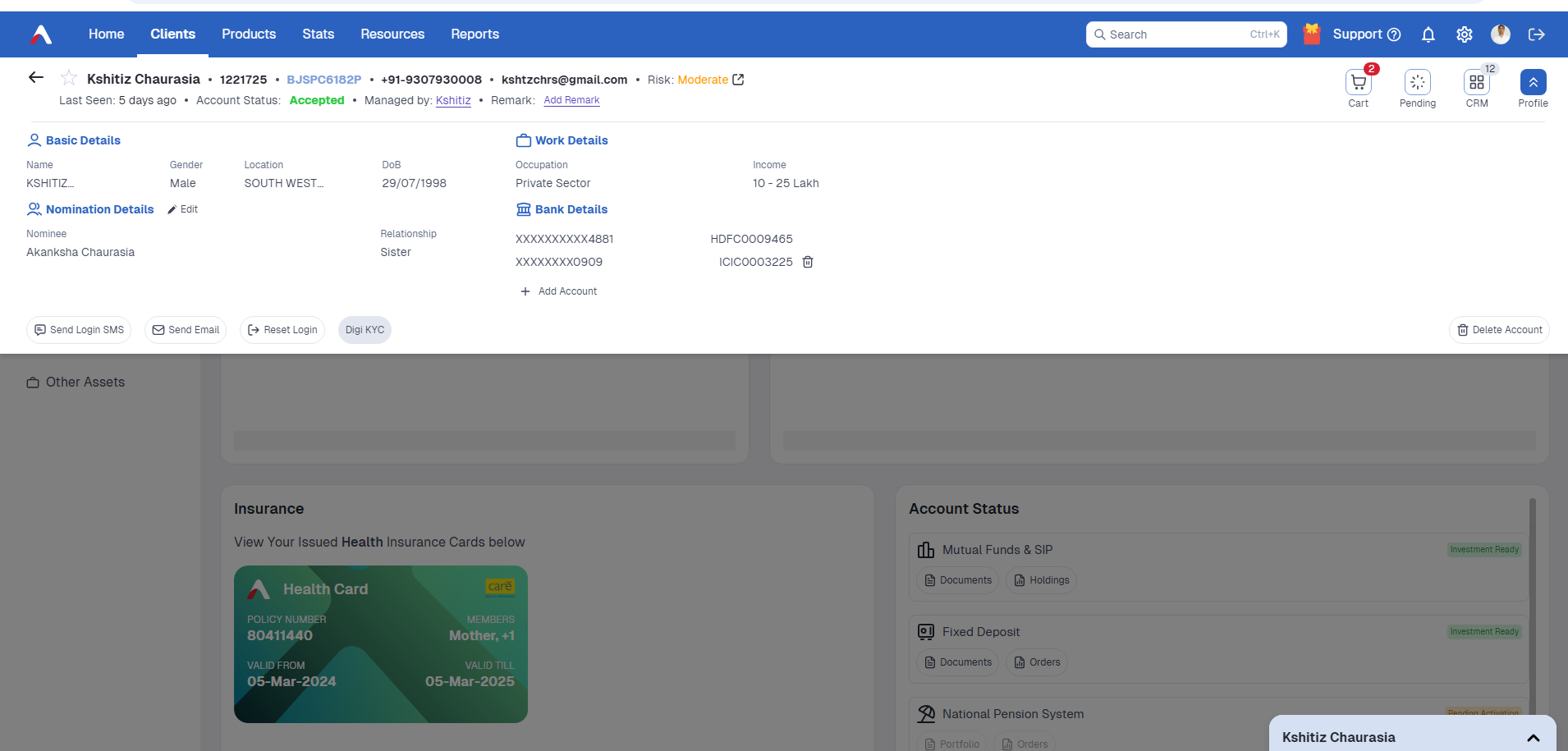
—> click on “ RESET LOGIN”