Activation Procedure:
- The client sign-up needs to be done by going to the dashboard -> Add new client -> Fill up the details of the client -> Request OTP -> Client get added in your dashboard.
- The client should be KYC Validated.
- The following soft copy documents are required for online account creation, it will take 3-4 working days for verification and activation of the account.
The account details need to be filled in by creating a client code, share the client code details with the concerned RM or raise a support ticket or send Email to operations@assetplus.io, our team will check and proceed with processing of the account with the BSE for activation.
Documents Required for Account Activation are :
AOF (Account Opening Form) – the sole proprietor’s seal and signature must be affixed
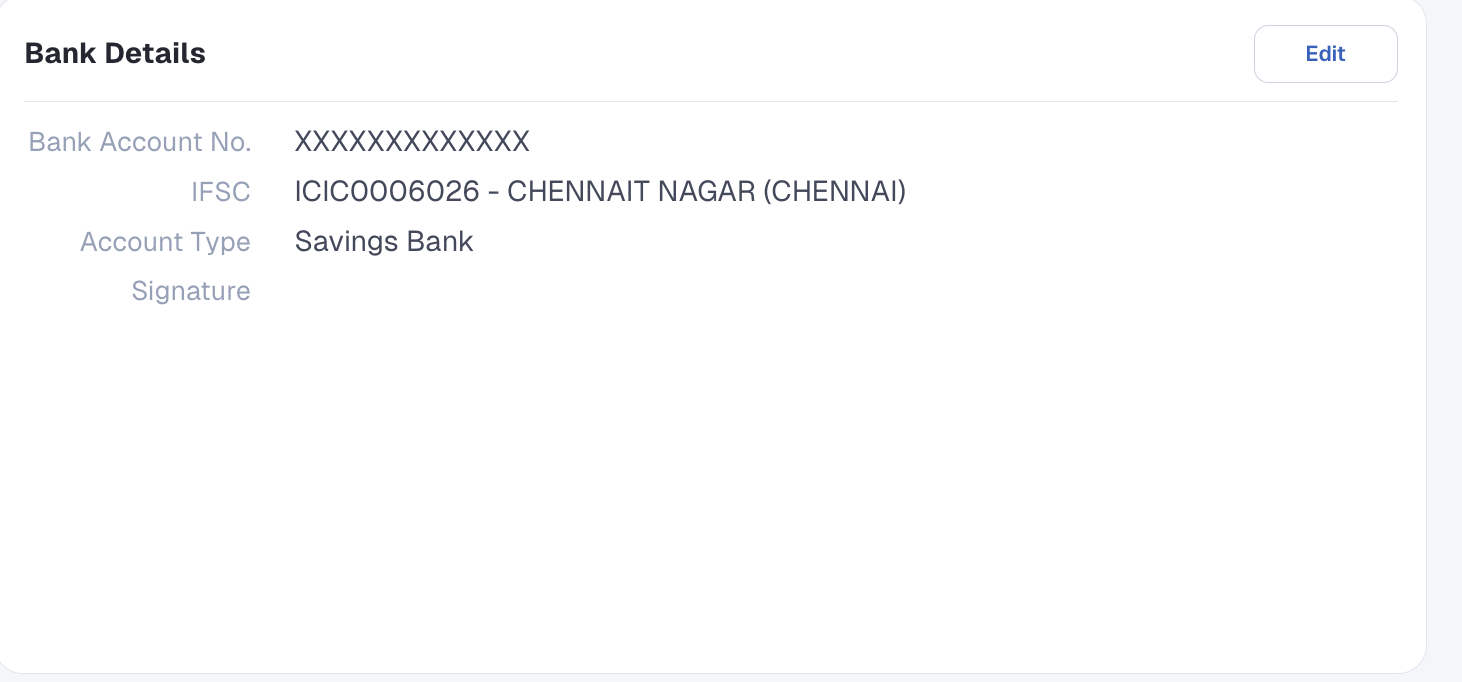
Cancelled cheque/bank account statement/ passbook copy, where the account number, name of the Sole Proprietor, IFSC code, Account Type are Mandatory
PAN Copy of Individual
4.GST certificate / Sales Tax or CST Registration (Central Sales Tax Registration) / Shops and Establishment Act Registration.
Once the account is activated, the client can proceed for online transactions.
Notes:
The PAN of a Sole Proprietor is the same as their Individual PAN. Kindly note that if the PAN is registered under a Sole Proprietorship account, the client cannot simultaneously use the same PAN to invest as an Individual.
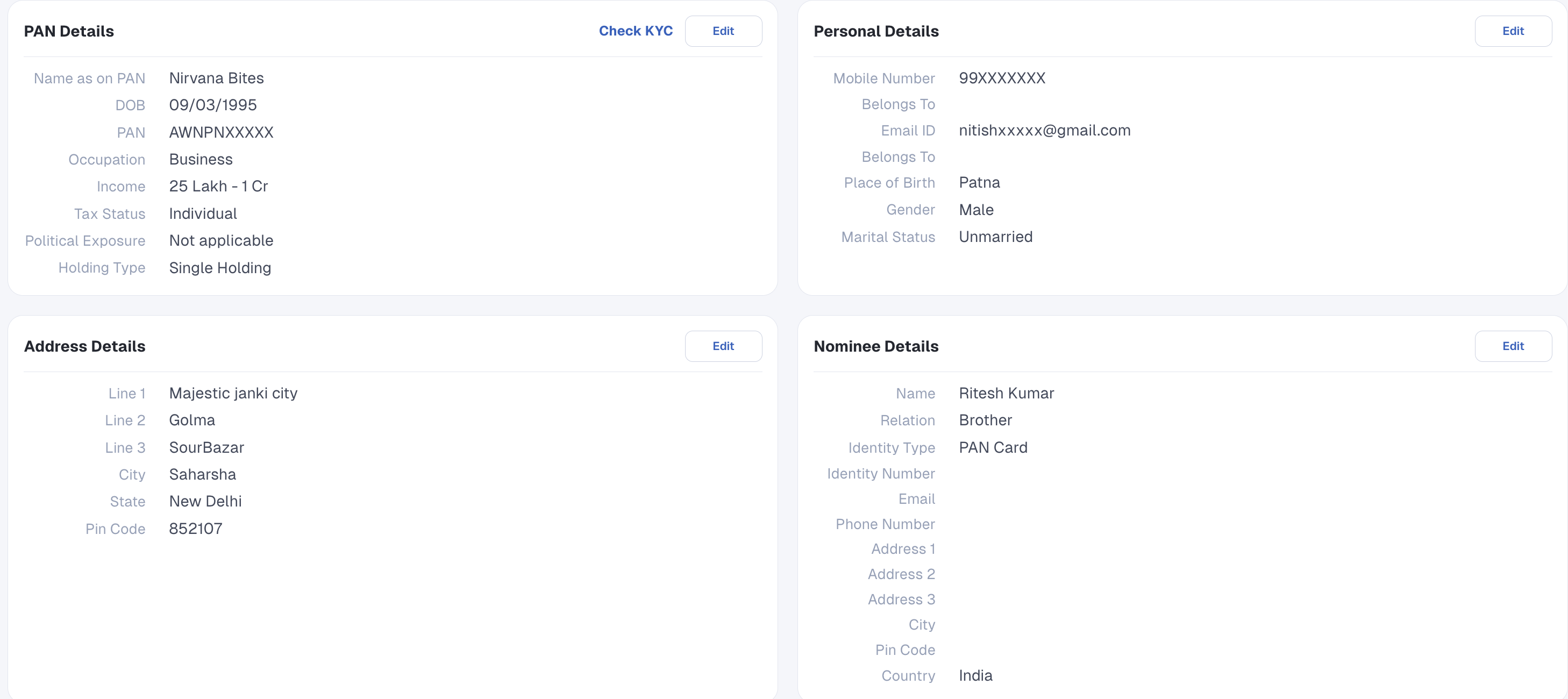
If the client wishes to appoint a nominee, the required nominee details must be entered in the designated section. Alternatively, if the client chooses not to appoint a nominee, they may opt out by selecting the appropriate option during activation.
Enclosed:
- Full set of Activation (AOF) Form.
- Given below is the Screenshot of the Document Section for reference on how the details should be filled.