
DSP Mutual Fund offers investors the facility to invest in GIFT City funds through an online platform. Investors can complete the onboarding process digitally, generate a folio, and make investments through the portal.
Portal Link: https://giftcity.dspim.com/
Process Flow
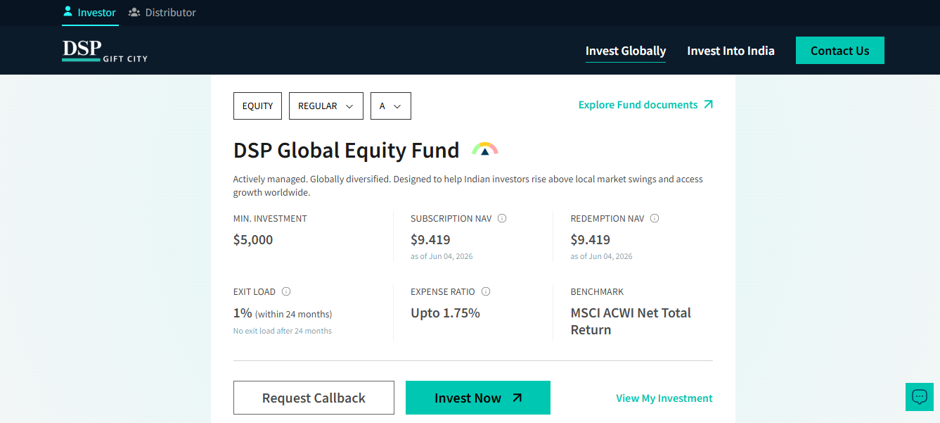
Step 1: Access the Investor Portal
- Visit the DSP GIFT City portal.
- Click on "Invest Now" to begin the registration process.
Step 2: PAN Verification
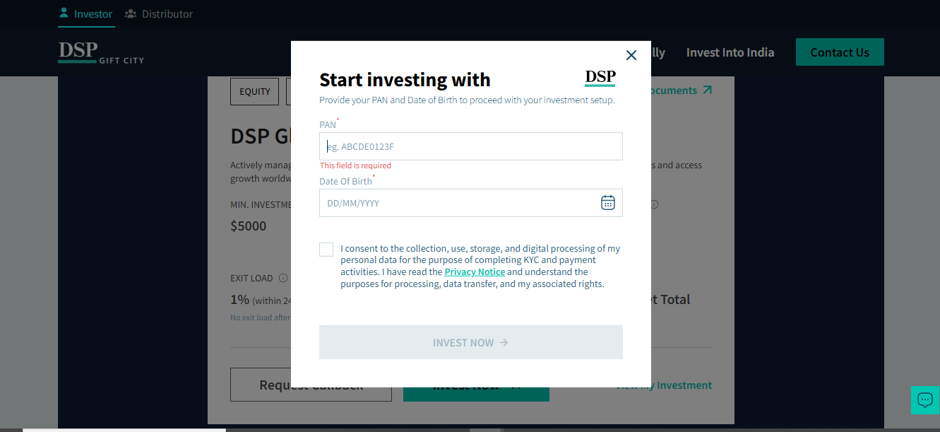
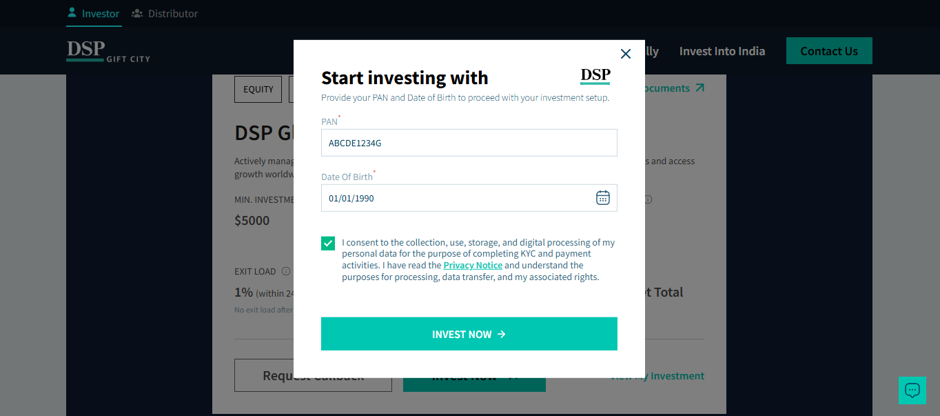
- Enter your PAN and Date of Birth.
- Accept the declaration and proceed.
- The system will validate your PAN details before moving to the next stage.
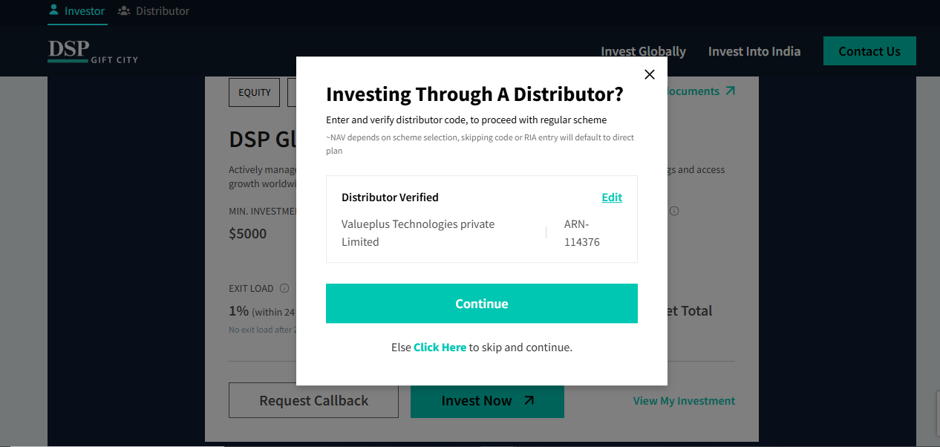
Step 3: ARN Verification
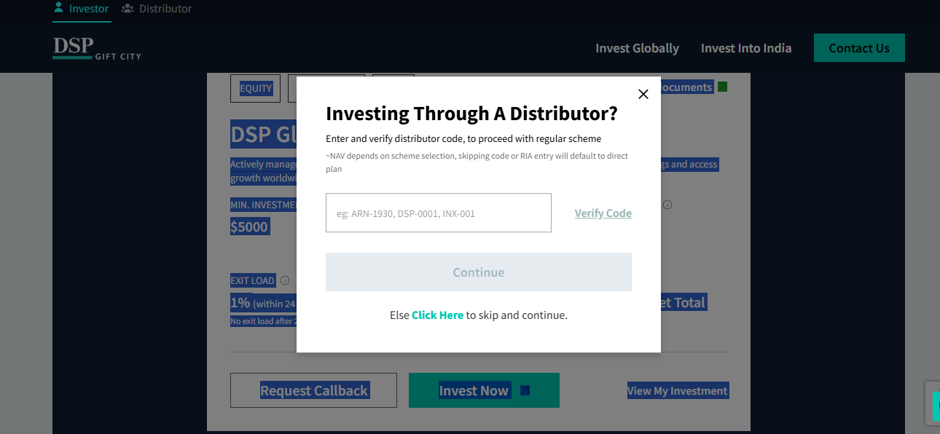
- Verify the distributor ARN code (ARN-114376).
- Review the details displayed and click Continue to proceed with folio creation.
Step 4: Email Authentication
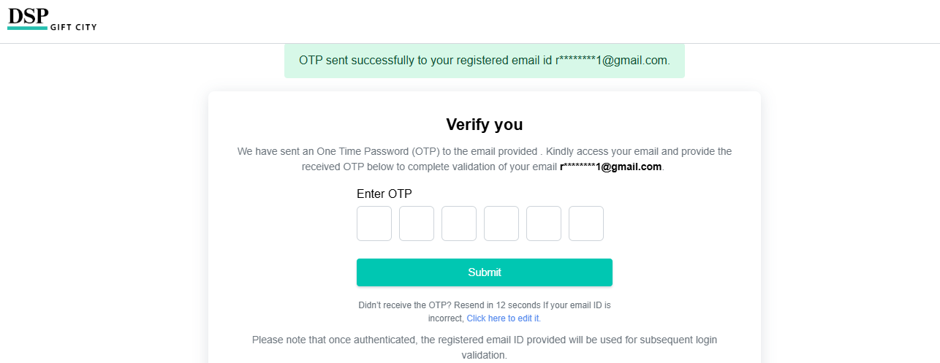
- Confirm your email ID registered with KRA records.
- Generate and enter the OTP received on your email address.
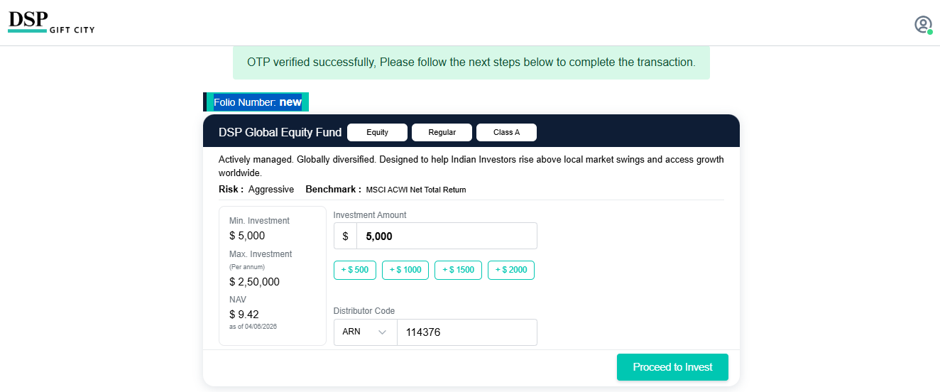
- Review the ARN details, selected scheme, and investment amount before proceeding.

Step 5: Mobile Number Verification
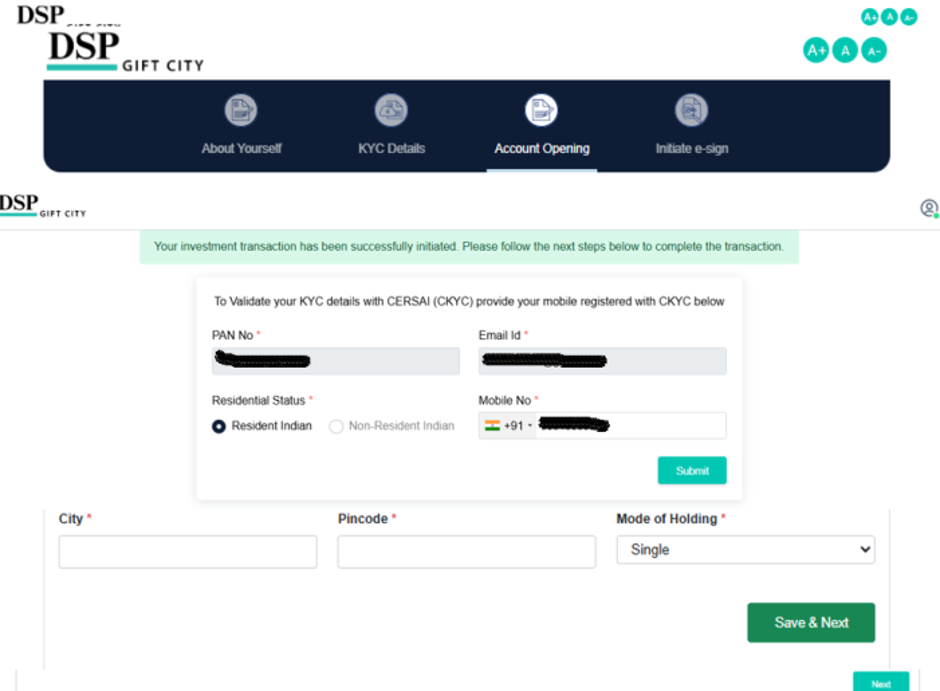
- Verify your PAN and email details.
- Enter the mobile number registered in KRA records.
- Complete OTP authentication through the CKYC verification process.
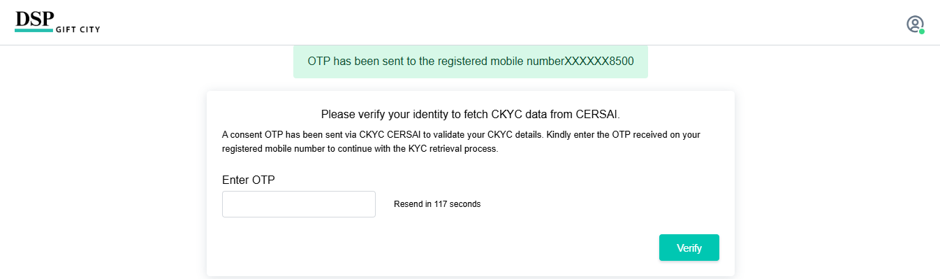
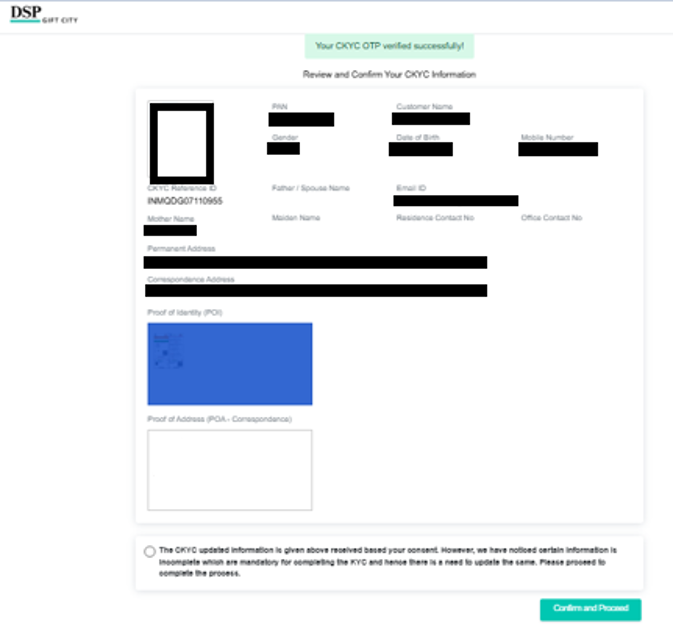
Step 6: CKYC Validation
- Review the CKYC details displayed by the system.
- Confirm the information and proceed to the next step.
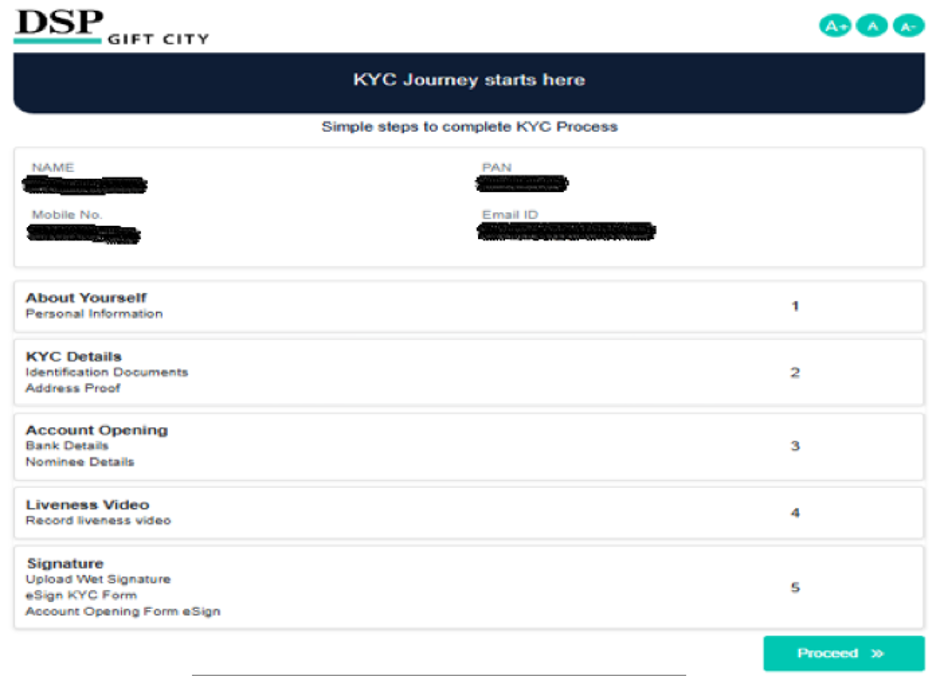
Step 7: Personal Information
- Enter the required personal details.
- Ensure that the name matches the Income Tax Department (ITD) records.
- Submit the information and continue.
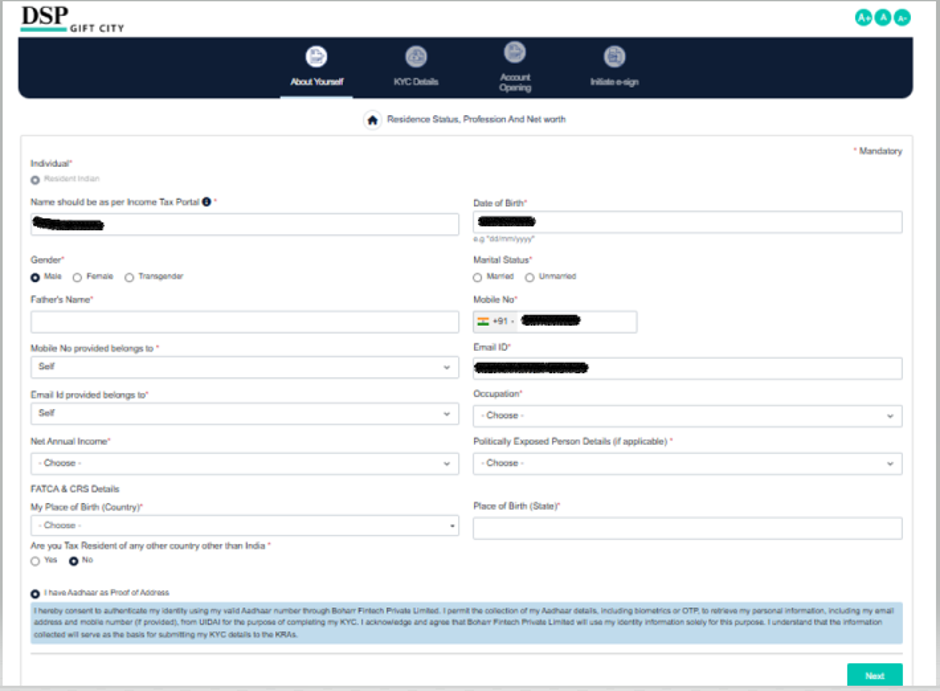
Step 8: Aadhaar Verification
- Enter your Aadhaar number.
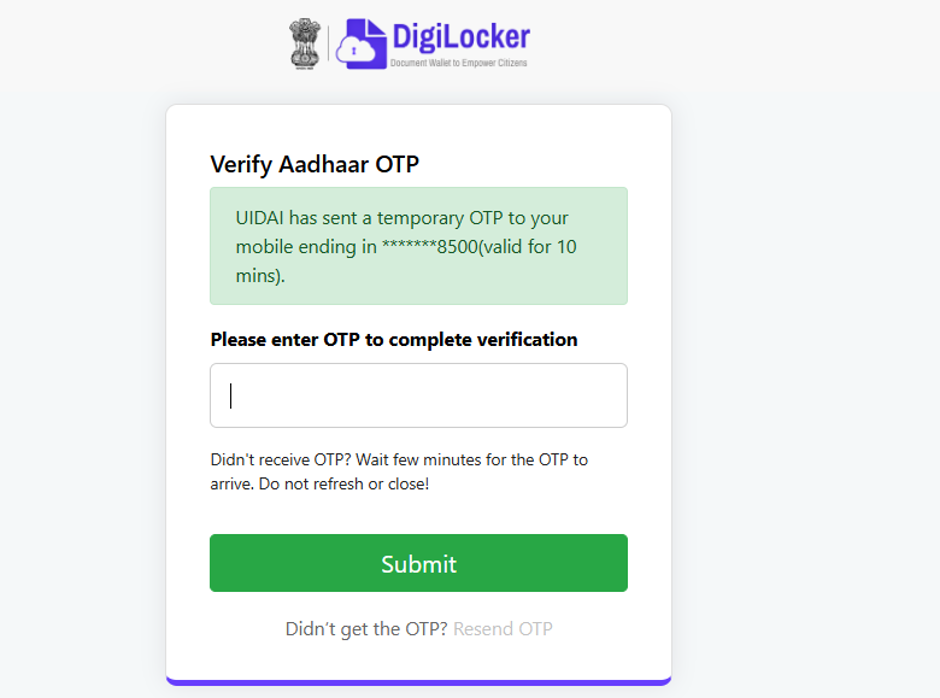
- Complete OTP verification using the OTP received on the Aadhaar-linked mobile number.
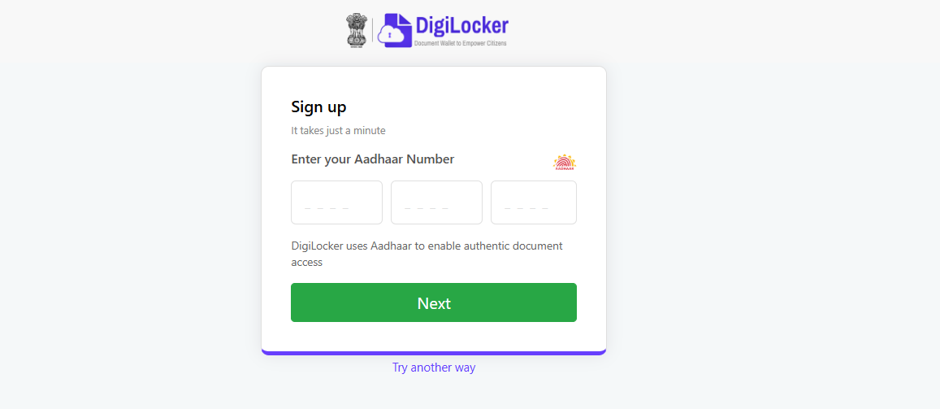
- After submission to next, your will get the OTP registered mobile number linked Aadhar records. After enter the OTP select the submit button.
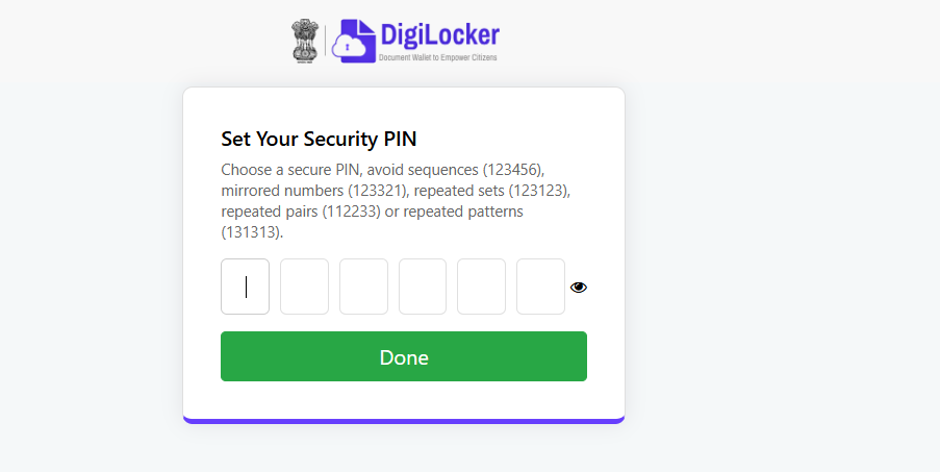
Step 9: Security PIN Creation
- Create a security PIN for future logins and transaction authentication.
- Save the PIN securely for future reference.
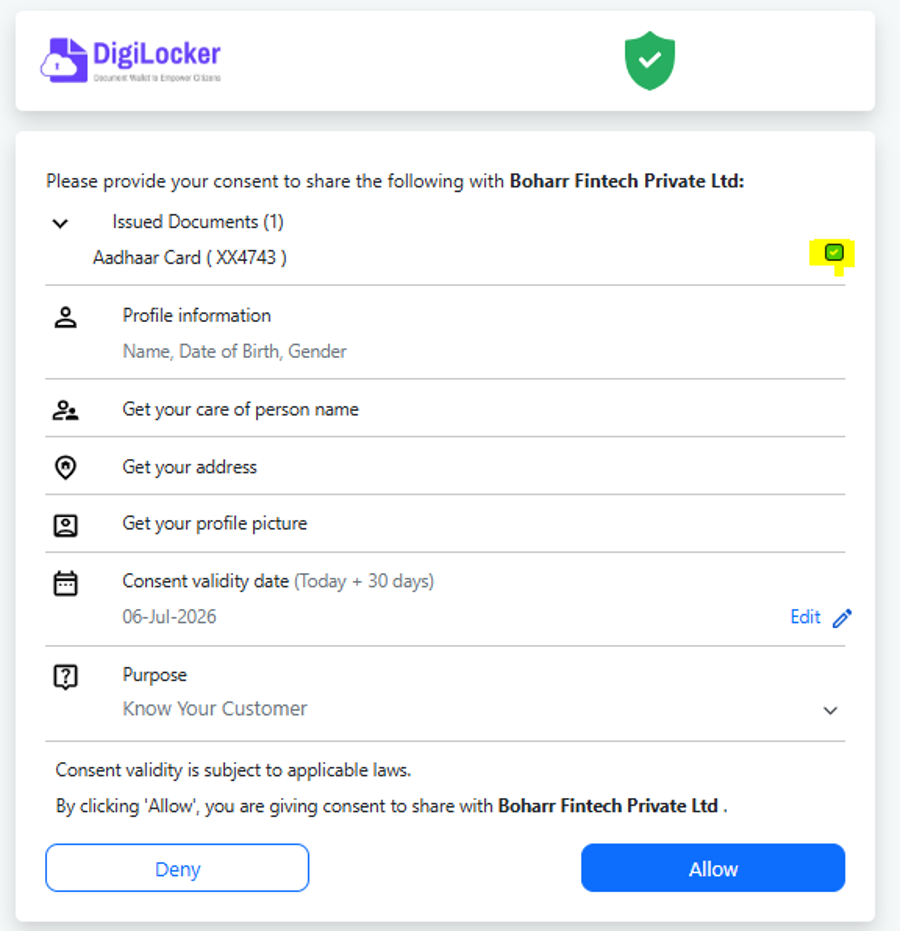
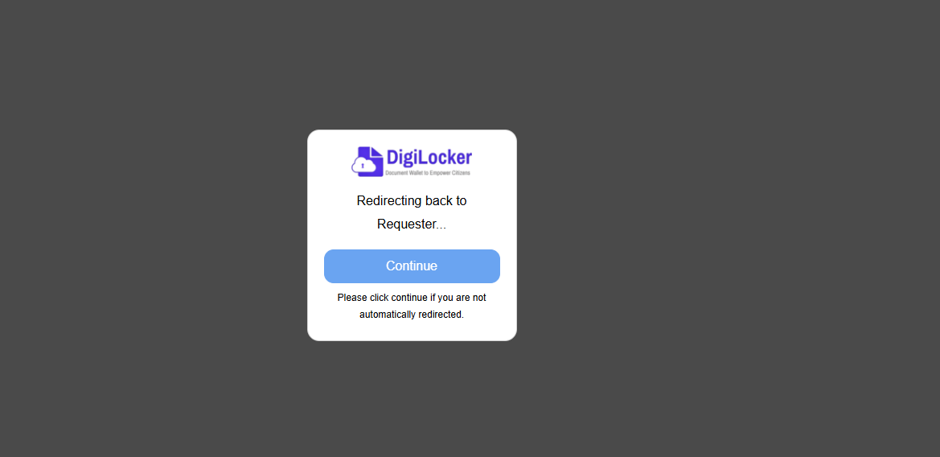
Step 10: DigiLocker Authentication
- Review the DigiLocker details displayed.
- Provide consent and authorize access to continue the onboarding process.
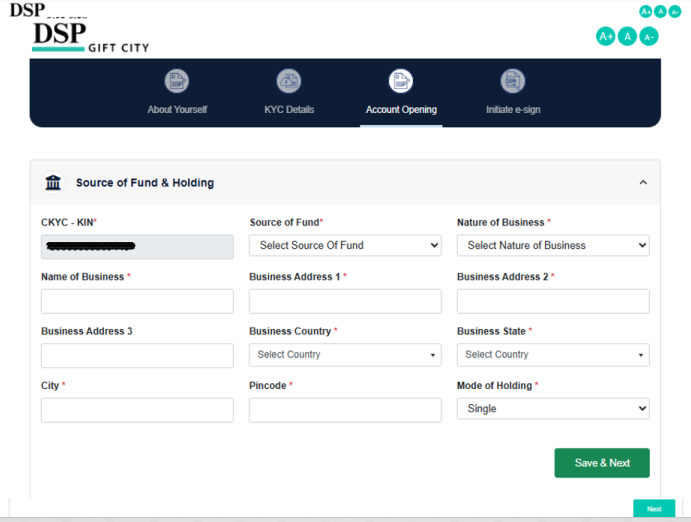
Step 11: Additional Personal Details
- Complete any pending personal information fields.
- Click Save & Next to proceed.
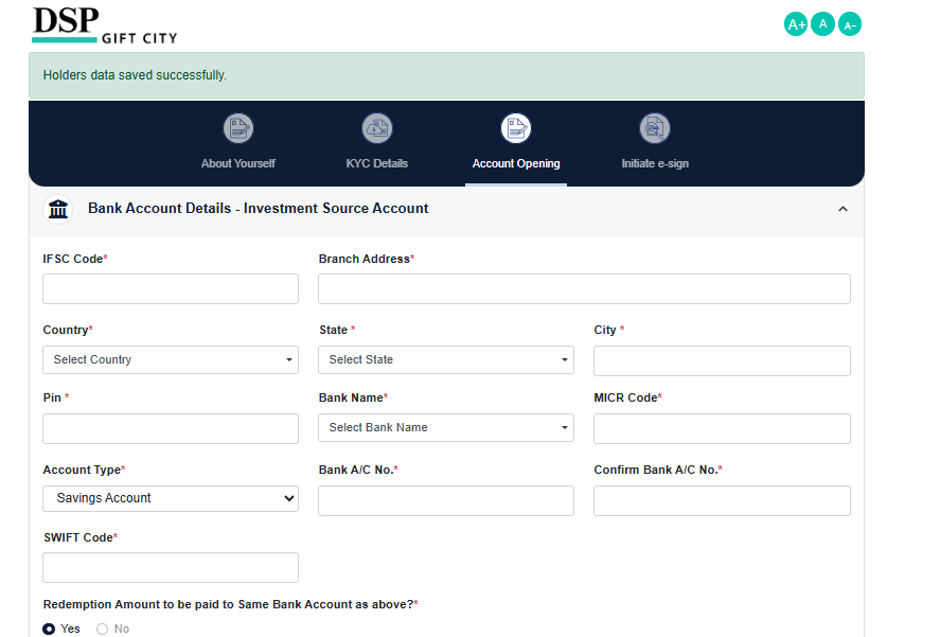
Step 12: Bank Account Registration
- Enter the bank account details.
- Penny Drop verification will be initiated, and a nominal credit may be received for account validation.
- Verify and save the bank details.
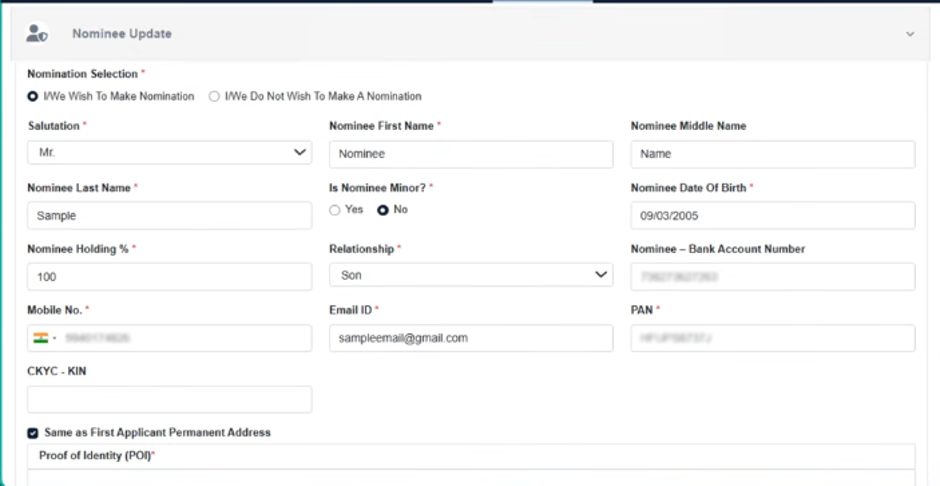
Step 13: Nominee Registration
- Add nominee details as required.
- Review and confirm the information provided.
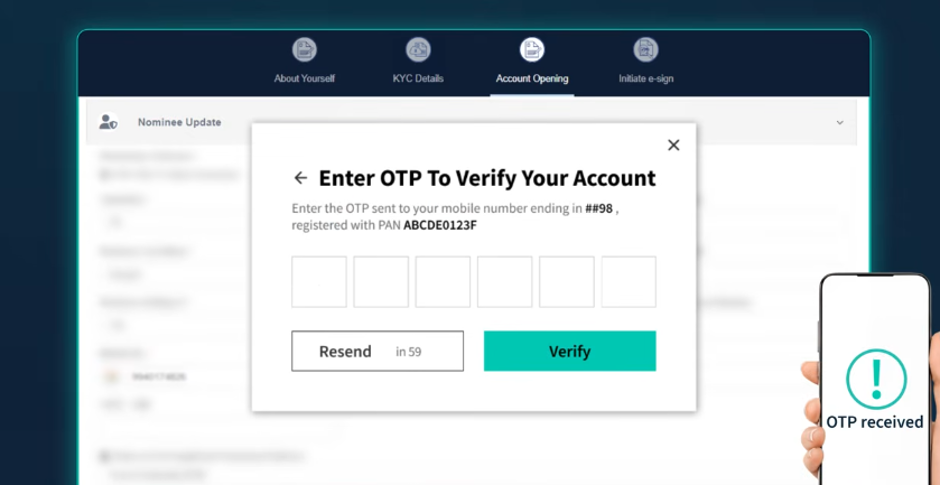
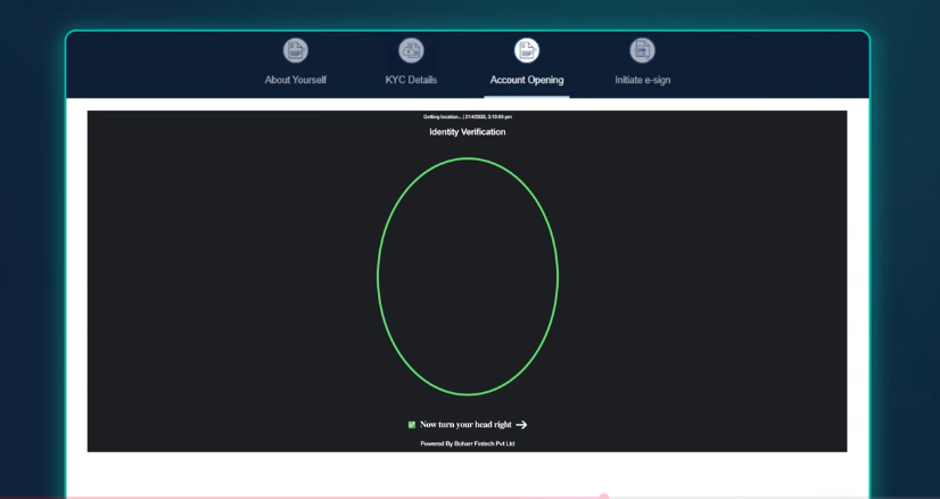
Step 14: IPV & Photograph Capture
- Complete OTP verification.
- Capture and upload a live photograph as part of the identity verification process.
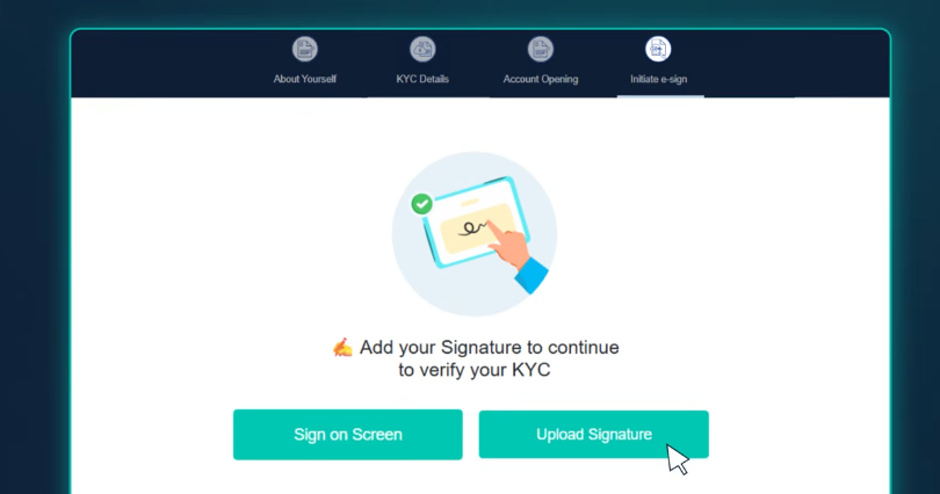
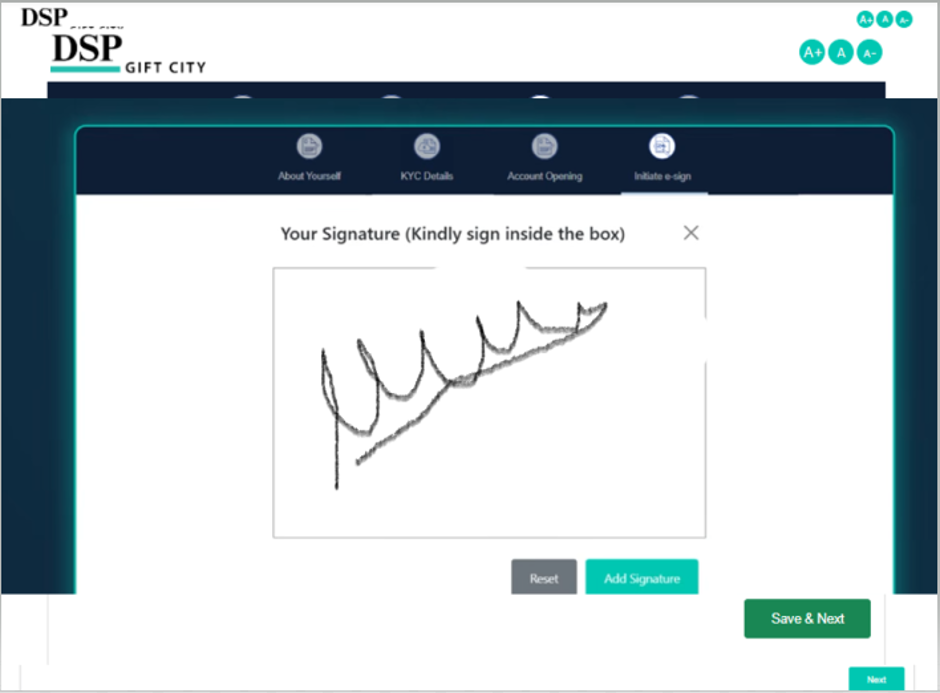
Step 15: Signature Upload
- Upload your digital signature in the prescribed format.
- Ensure the signature is clear and legible.
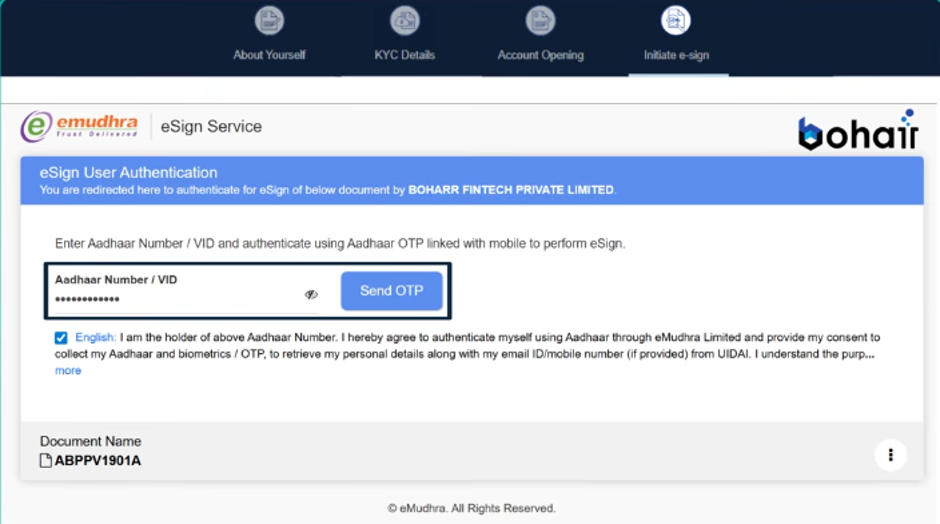
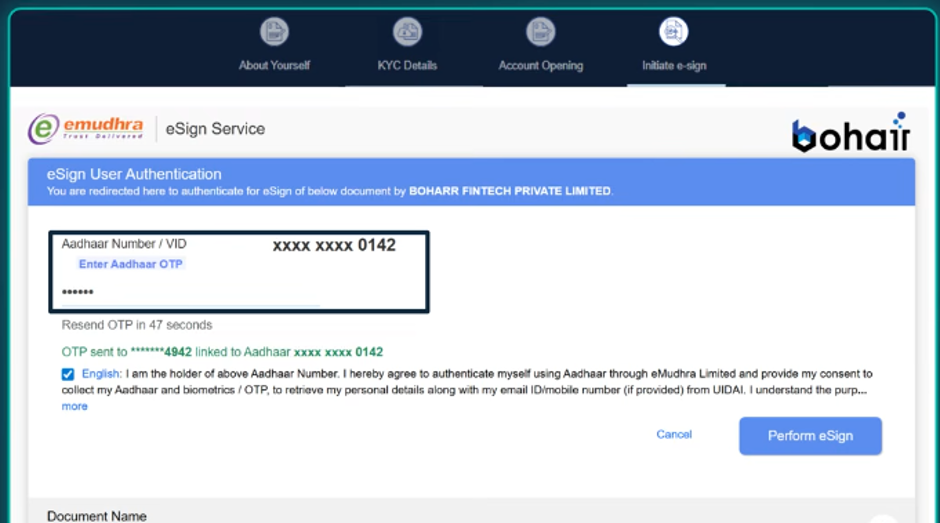
Step 16: E-Sign Process
- Generate the OTP for e-sign authentication.
- Enter the OTP received on the registered mobile number to complete the e-sign process.
- Update OTP received your registered mobile number and submit
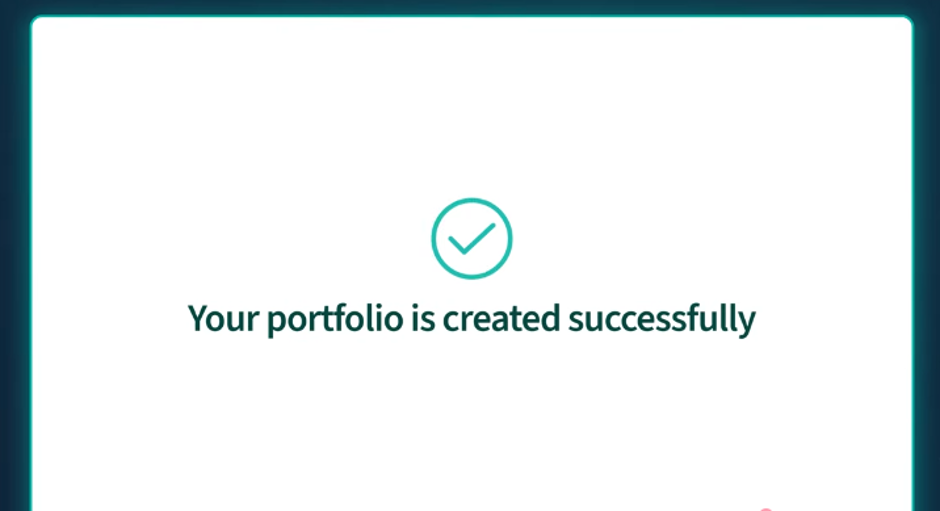
Step 17: Profile Creation & Folio Generation
- Upon successful completion of all verification steps, the investor profile and folio will be created.
- The system will display a confirmation message.
Step 18: Investment & Payment
- Proceed with the investment transaction.
- Investors using other banks may complete payment through net banking or offline remittance methods.
- Once funds are credited to the AMC account, units will be allotted as per the applicable NAV and transaction processing timelines.
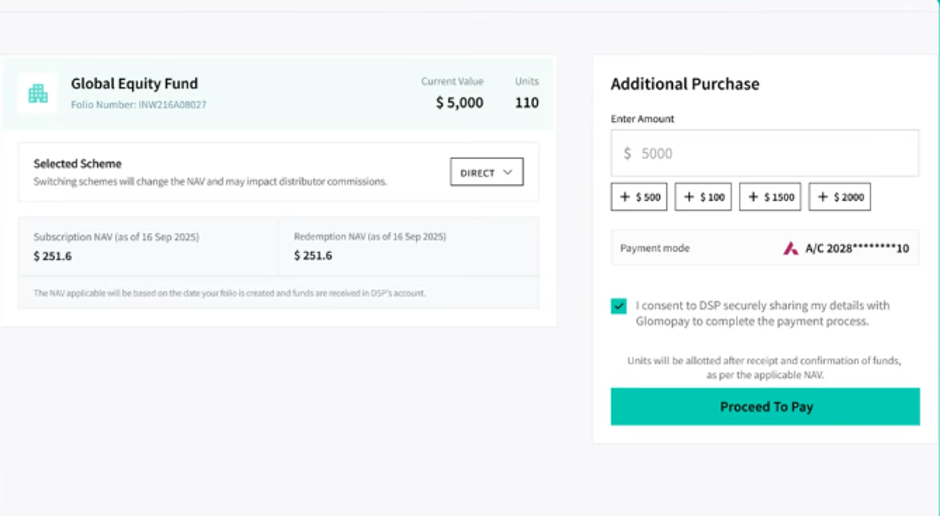
- Investors can make payments directly through this platform supported banking partners such as HDFC Bank, ICICI Bank, IDFC FIRST Bank, and Axis Bank.

- Investors using other banks may complete payment through net banking or offline remittance methods.
- Once funds are credited to the AMC account, units will be allotted as per the applicable NAV and transaction processing timelines.

Completion
- Upon successful payment and fund realization, the transaction will be processed and an allotment confirmation will be shared with the investor.