
This SOP outlines the steps for generating an investor investment link through the DSP Partner Portal to enable investors to initiate Gift City investments under the registered ARN.
Step-1
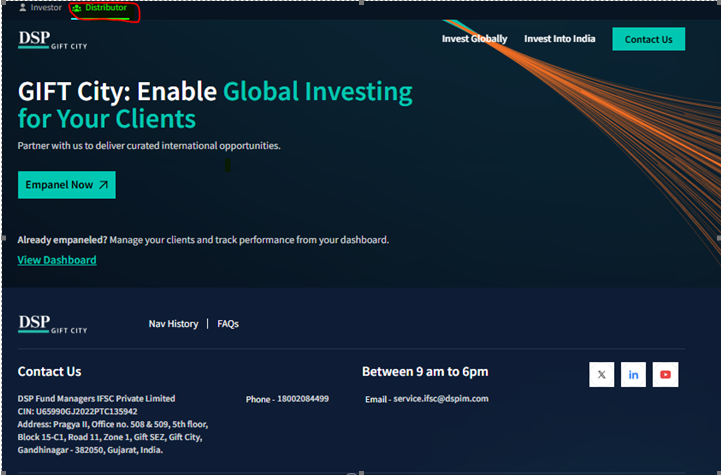
- Active DSP Partner Portal access - https://giftcity.dspim.com/distributor
- Click View Dashboard.
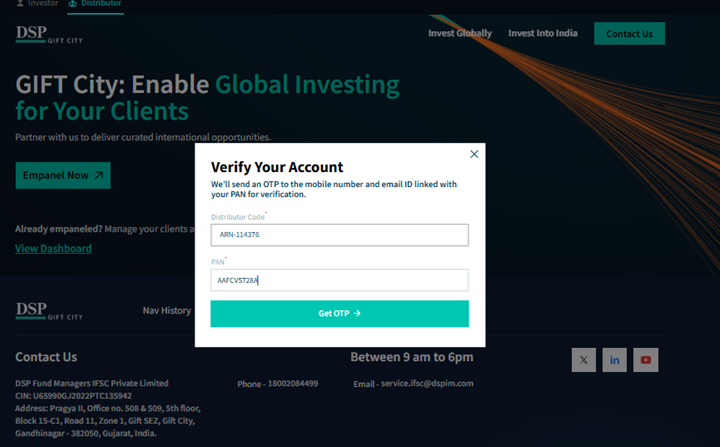
- Enter the ARN Code and the corresponding ARN PAN.
- Generate the OTP.
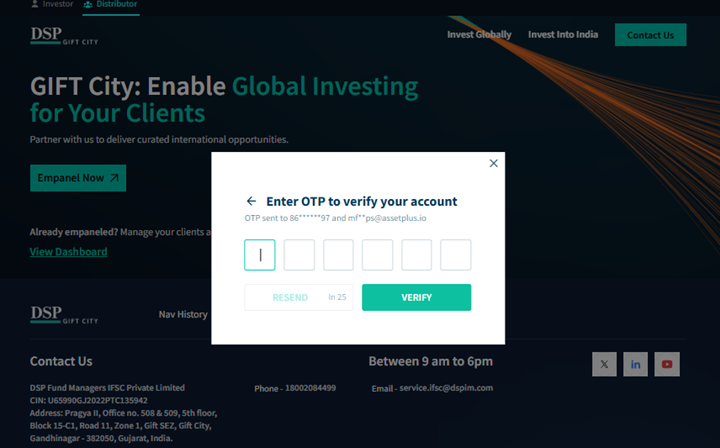
- Enter the OTP received on the registered email ID and click Verify.
Step-2
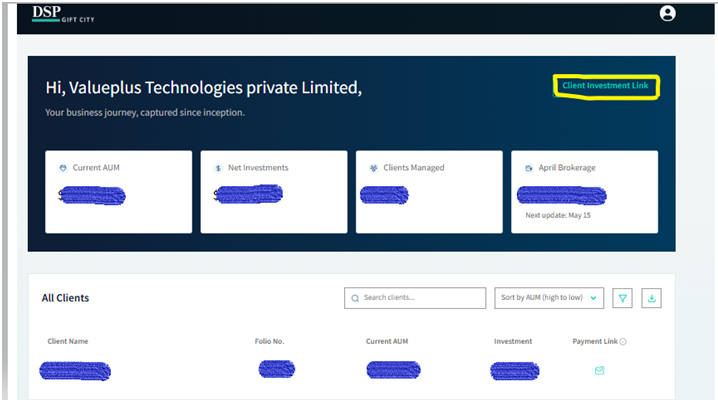
- Successful verification, the system displays the client-wise investment dashboard.
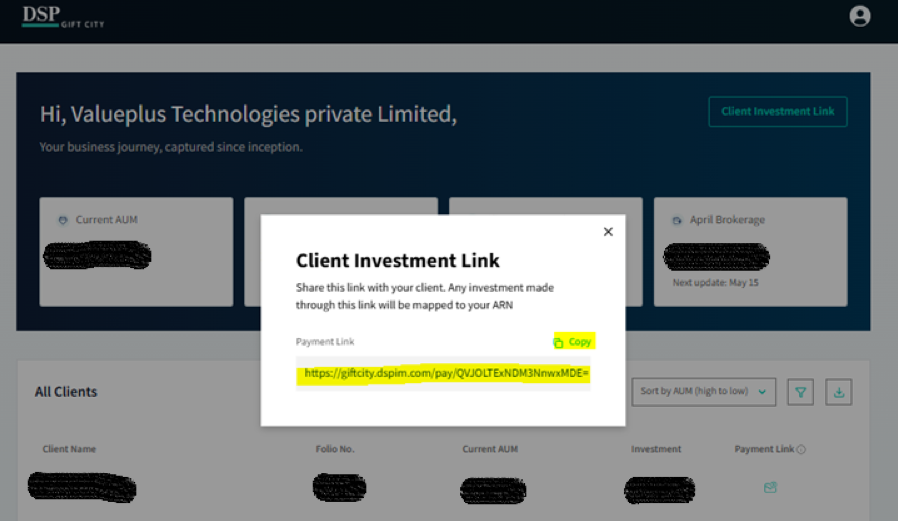
- Click the Generate Link option available at the top-right corner of the dashboard for new investor.
- The system generates a unique investment link for the investor.
Step-3
- Copy the generated investment link.
- Share the link to the investor.
- Investor opens the shared link and starts investment
- The investor enters all mandatory details and completes the online investment process
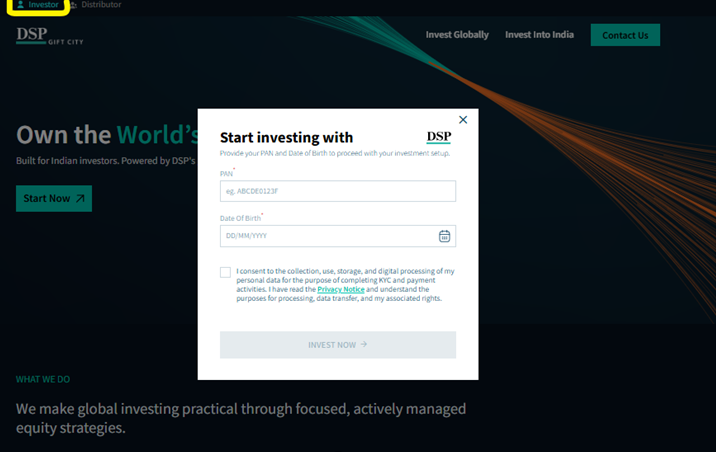
For the investor-side process, refer to the DSP Gift City – Investment Online – Investor Login Help Desk article.
https://assetplus.freshdesk.com/support/solutions/articles/44002811359-dsp-gift-city-investment-online-investor-login
**Generate and Share Payment Link for Existing Investors**
- For an existing investor, click the Payment Link option highlighted
- Enter the investment amount that the investor wishes to invest.
- Click the Send button to generate the payment link.
- The investor will receive the payment link registered registered email id.
- The investor can use the received link to initiate and complete the payment for the investment
